本文由我親自選題,AI 研究、測試與寫稿,再由我審查後自動發佈
做講話影片,想在人物旁邊放打勾清單、在頭後面放大大的「30%」,通常得開剪輯軟體,逐格把人物和背景分開,追蹤臉的位置,再安排文字出現的位置。
claude-video-effects 是 GitHub 上的開源工具,可以安裝到 Claude Code,讓 AI 替影片加特效。
你用白話告訴 AI 助理要哪種特效、出現在影片的哪段時間、顯示什麼字,它就會追蹤臉的位置,把人物和背景分開,再把特效放在臉旁或頭後,輸出 mp4 影片。
官方 README 列出 51 種特效,另外還有 3 種變化款。
怎麼交代 agent
先裝技能。
你不用自己貼指令,把這段交給 AI 助理:
請讀 GitHub 上 claude-video-effects 的官方說明,幫我裝成 Claude Code 的技能,裝完告訴我要怎麼重啟。
裝好後,可以這樣告訴 AI 助理:
用 claude-video-effects 在這段影片上做 5 種特效,每種 1 個成品,時間點對到我講的內容:頭後面放大「30%」;在臉周圍加上 4 個括號角框把臉框住,鏡頭跟著推近;下巴旁邊放一張清單,3 條「觀點有好壞」「從少見的角度想」「至少 30% 的人喜歡」逐條打勾,字型用 Noto Sans TC;背景變暗,只有人物和身後一圈光還亮著;一張玻璃卡片,數字從 0 數到 30%。
這次做出來的 5 種特效
AI 助理在橫式講話影片上做出了 5 種特效,中文字正常顯示,特效也避開了人物的臉。
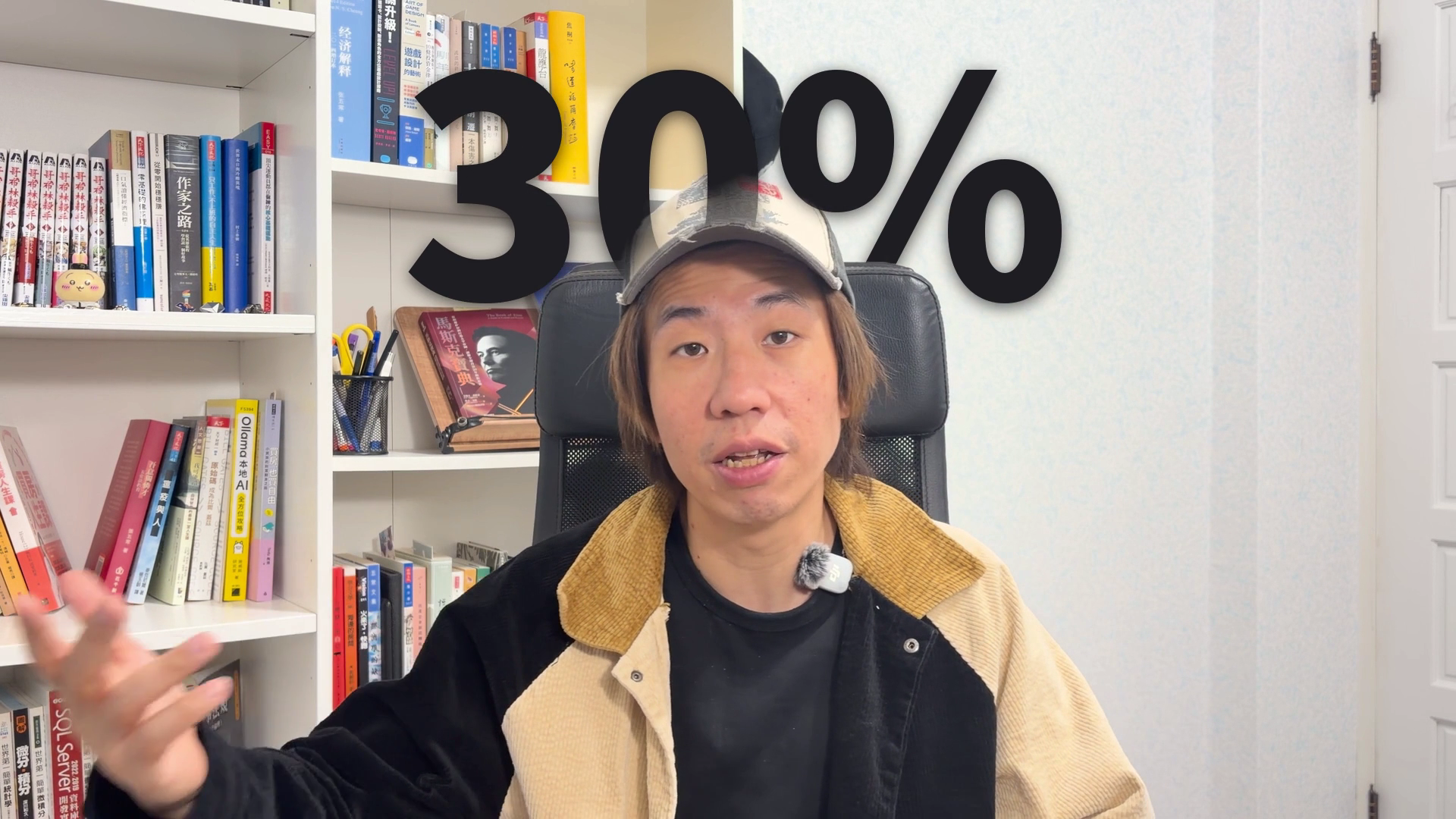
backdrop-word
「30%」從上方掉下來,停在頭後面。
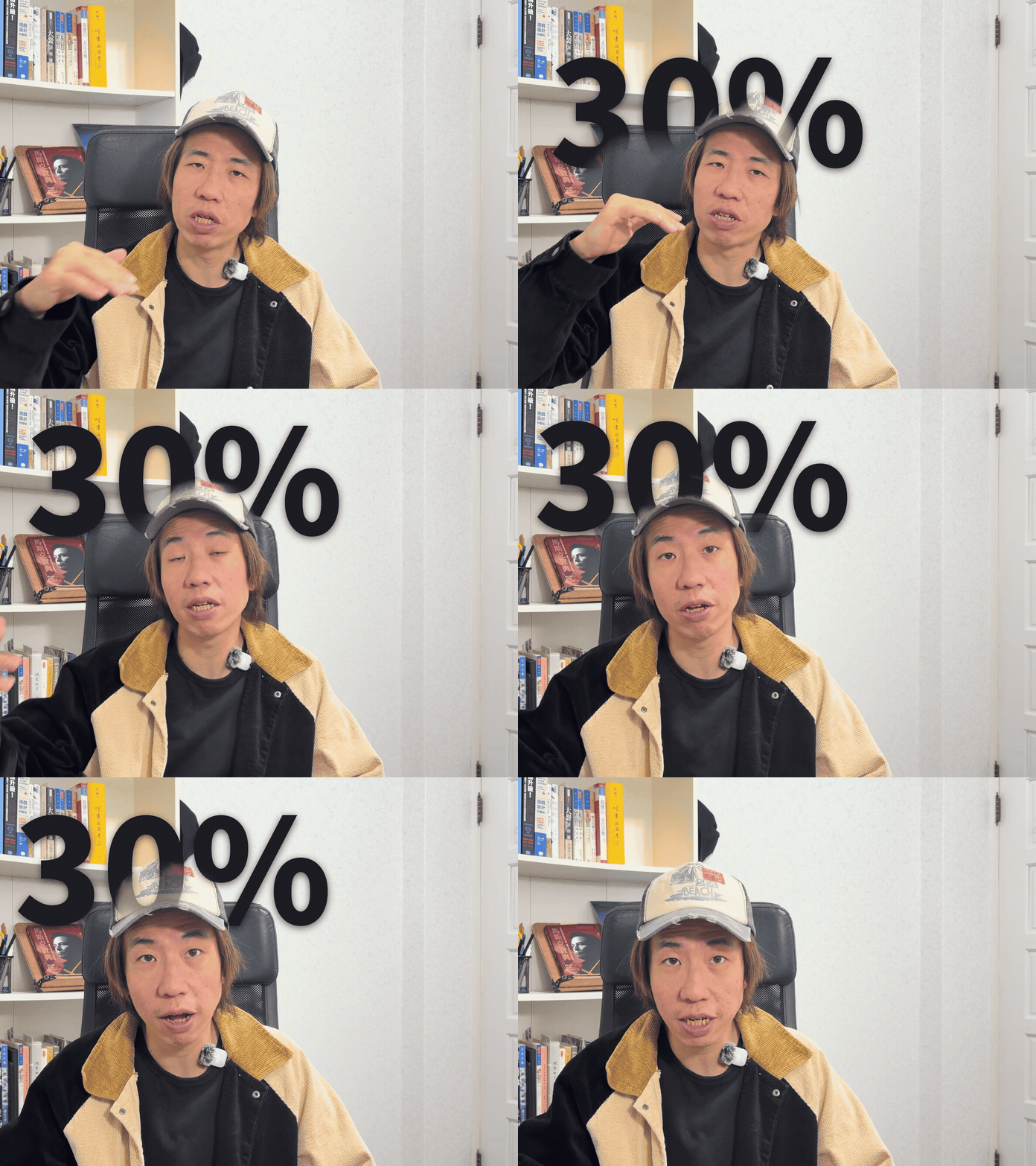
講到一個數字或關鍵詞,想讓它清楚停在人物後面時用。
locked-on
在臉周圍加上 4 個括號角框把臉框住,鏡頭跟著推近。

講到重點、想讓觀眾的注意力留在臉上時用。
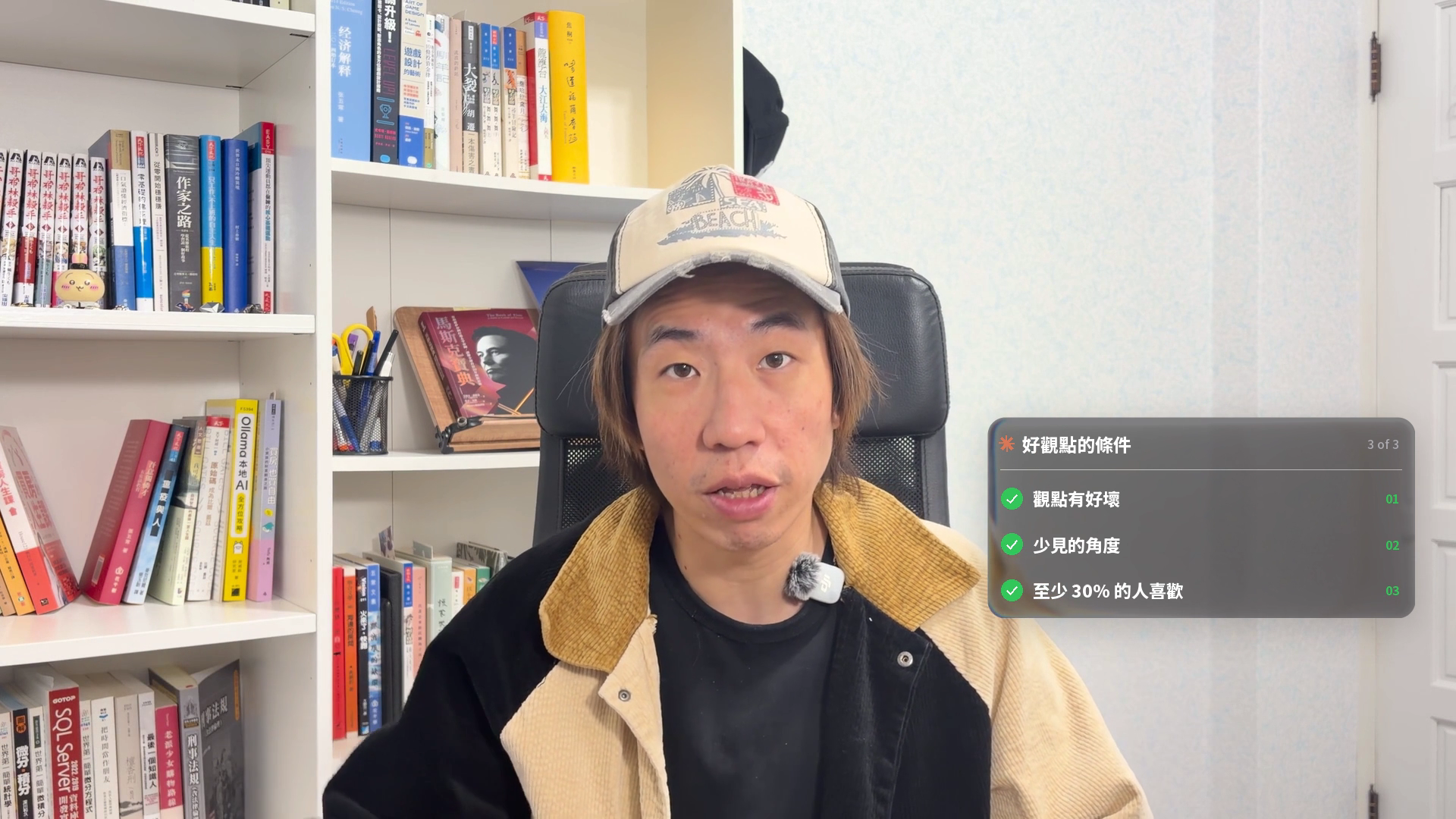
checklist
清單卡片出現在臉右側的白牆上,3 條觀點依序打勾。
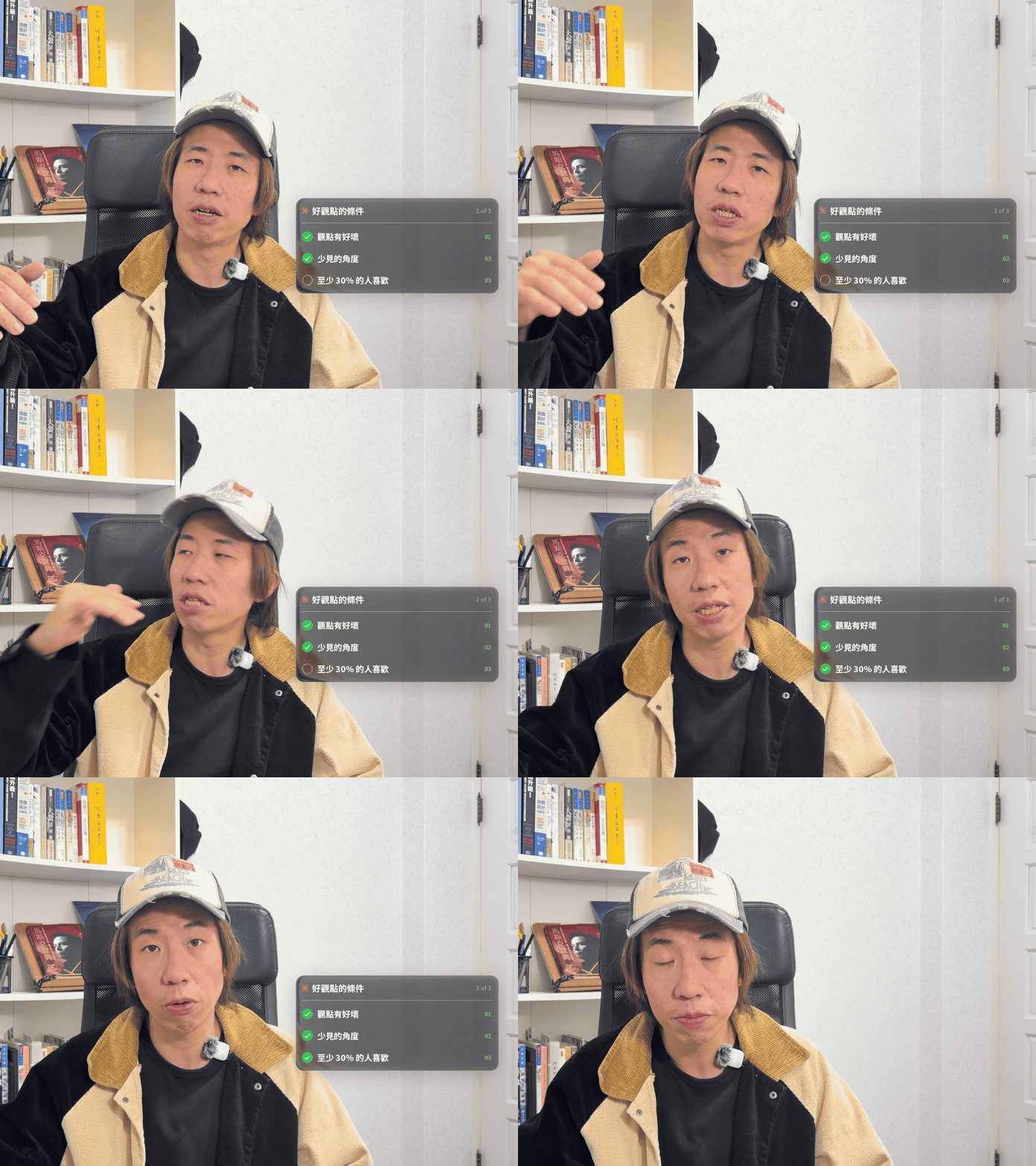
一次要講幾個觀點,想配合講述內容,讓清單上的項目逐條打勾時用。
spotlight
背景變暗,只有人物和身後一圈光還亮著。
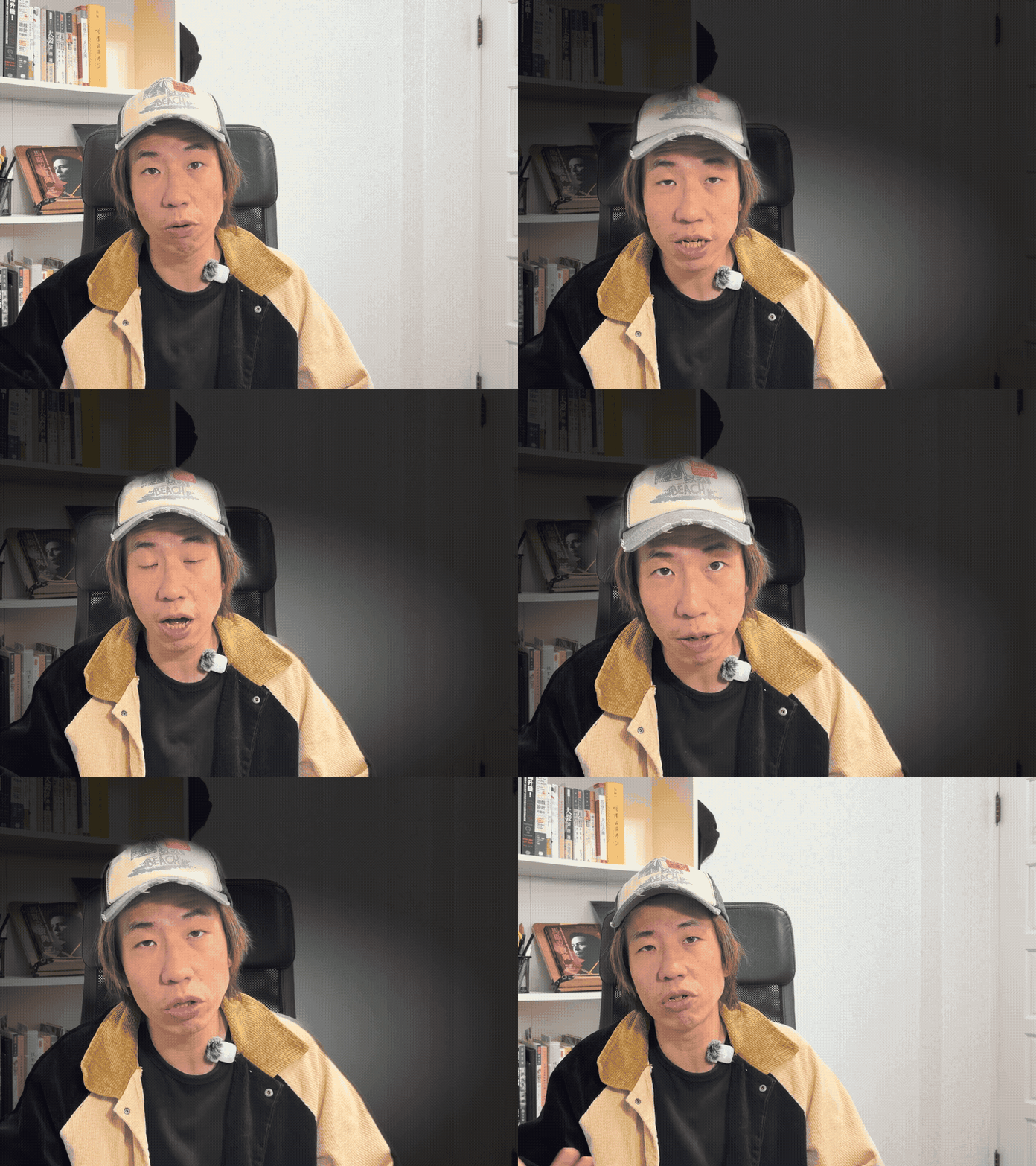
要讓觀眾把注意力放在說話的人身上時用。
liquid-glass-graph
一張玻璃卡片浮在畫面裡,數字從 0 數到 30%。
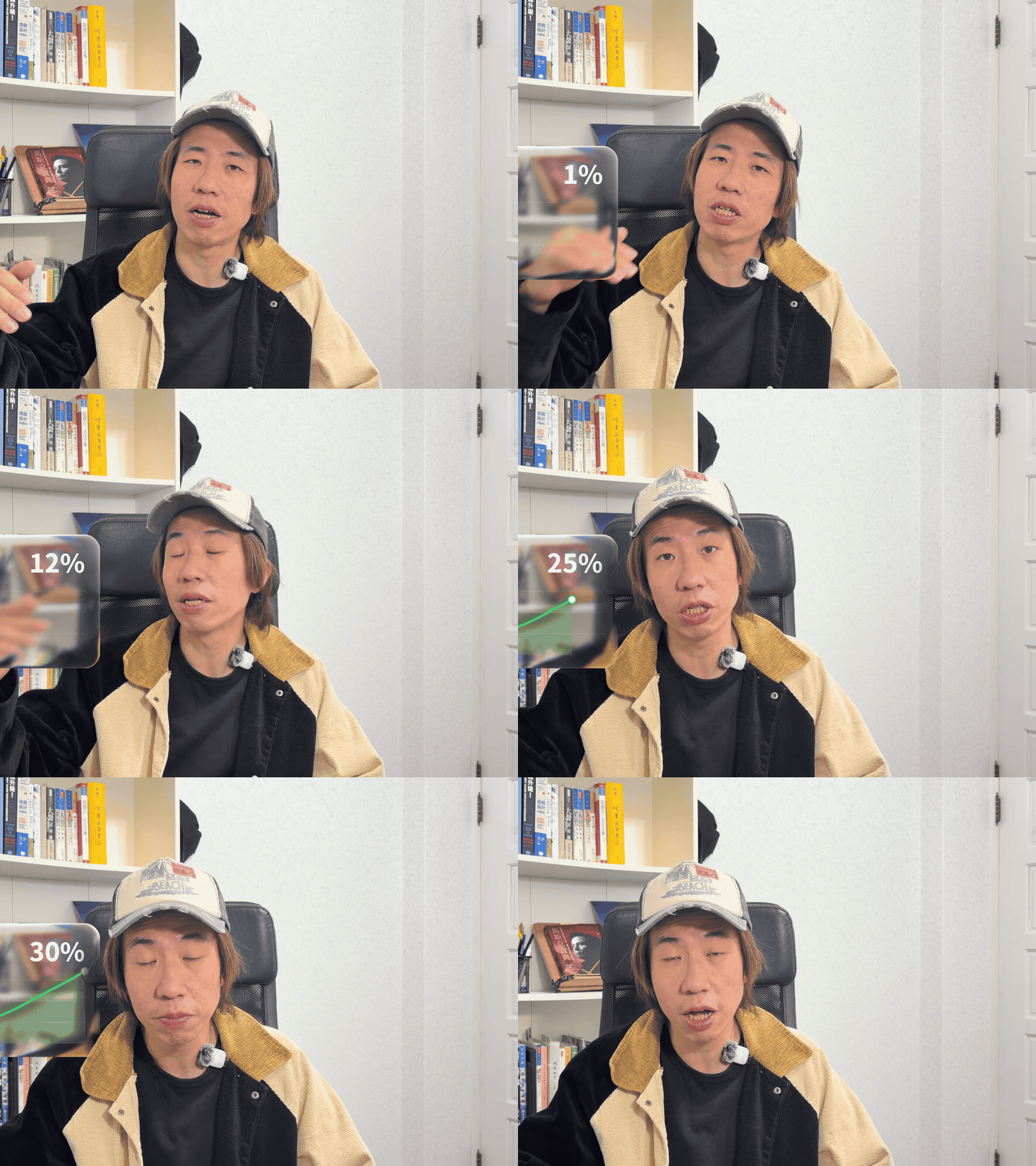
講到數字變化,想用卡片顯示數字逐漸增加的過程時用。
實測時還遇到什麼
原版是為直式手機影片設計的。
原版直接用在橫式影片、加上中文字時,清單會疊到臉上;頭後的大字預設是米白色,放在白牆前會看不到。
我讓 AI 助理把這些地方改掉,做成中文橫式版。
這個版本放在付費工具包 Raven AI 一人公司工具包,不是原專案的內容。
官方完整功能清單
名稱與一句說明來自 claude-video-effects 官方 README。
- noise|未測|你的短影片截圖在頭後面一張張堆起來|https://github.com/Vibha-Ramprakash/claude-video-effects
- lineup|未測|編號方塊在頭上方展開|https://github.com/Vibha-Ramprakash/claude-video-effects
- locked-on|已實測|4 個括號角框鎖住臉,鏡頭跟著臉推近|https://github.com/Vibha-Ramprakash/claude-video-effects
- orbit|未測|短影片截圖繞著頭轉,上半圈在頭後面|https://github.com/Vibha-Ramprakash/claude-video-effects
- lean-in|未測|講到某個字時快速推近一下|https://github.com/Vibha-Ramprakash/claude-video-effects
- backdrop-word|已實測|一個超大的字從上方掉到頭後面|https://github.com/Vibha-Ramprakash/claude-video-effects
- spotlight|已實測|背景變暗,只留人物亮著|https://github.com/Vibha-Ramprakash/claude-video-effects
- the-bill|未測|你的指令像收據一樣印出來|https://github.com/Vibha-Ramprakash/claude-video-effects
- moody|未測|畫面調成偏暗、有氛圍的色調|https://github.com/Vibha-Ramprakash/claude-video-effects
- swipe|未測|前後對比的左右滑桿|https://github.com/Vibha-Ramprakash/claude-video-effects
- todo|未測|頭旁邊一張待辦清單,邊講邊打勾|https://github.com/Vibha-Ramprakash/claude-video-effects
- comment-box|未測|IG 留言自己打字並送出|https://github.com/Vibha-Ramprakash/claude-video-effects
- tap|未測|「追蹤」按鈕翻成「追蹤中」|https://github.com/Vibha-Ramprakash/claude-video-effects
- pause-point|未測|畫面定格,加一個手繪箭頭|https://github.com/Vibha-Ramprakash/claude-video-effects
- uninstall|未測|畫面出現「解除安裝」進度條,並逐漸呈現故障般的視覺效果|https://github.com/Vibha-Ramprakash/claude-video-effects
- reel-frame|未測|整個畫面縮成一張短影片卡片|https://github.com/Vibha-Ramprakash/claude-video-effects
- shortcut-rain|未測|鍵盤按鍵從頭後面掉下來|https://github.com/Vibha-Ramprakash/claude-video-effects
- reject-stamp|未測|一個紅色大印章蓋下來|https://github.com/Vibha-Ramprakash/claude-video-effects
- countdown-flip|未測|頭的上方出現翻頁鐘,依序顯示 3、2、1|https://github.com/Vibha-Ramprakash/claude-video-effects
- rabbit-hole|未測|身後的房間像隧道一樣往後退|https://github.com/Vibha-Ramprakash/claude-video-effects
- cover-star|未測|你變成雜誌封面|https://github.com/Vibha-Ramprakash/claude-video-effects
- scribble|未測|麥克筆塗鴉自己畫在你周圍|https://github.com/Vibha-Ramprakash/claude-video-effects
- glass-widgets|未測|毛玻璃小工具卡片浮在頭的周圍|https://github.com/Vibha-Ramprakash/claude-video-effects
- red-collage|未測|人物變成黑白,身後出現紅色大字,3 行文字快速進入畫面|https://github.com/Vibha-Ramprakash/claude-video-effects
- split-headline|未測|標題卡從上方滑下,把你推到下半部|https://github.com/Vibha-Ramprakash/claude-video-effects
- pastel-word|未測|背景變成淡紫色的房間,人物身後出現大字|https://github.com/Vibha-Ramprakash/claude-video-effects
- check-pills|未測|背景變成方格紙,短影片固定在人物身後,藍色膠囊形按鈕被點擊|https://github.com/Vibha-Ramprakash/claude-video-effects
- timeline|未測|畫面呈現暗紅色的電影色調,並出現剪輯時間軸,標示播放位置的指示線會發光|https://github.com/Vibha-Ramprakash/claude-video-effects
- headline-box|未測|畫面拉近,並出現 2 行簡潔的標題|https://github.com/Vibha-Ramprakash/claude-video-effects
- profile-wall|未測|短影片九宮格鋪滿牆,計數器往上跳|https://github.com/Vibha-Ramprakash/claude-video-effects
- tier-list|未測|排名表從上方掉下來,Claude 被放進 S 級|https://github.com/Vibha-Ramprakash/claude-video-effects
- broll-split|未測|上半部放補充畫面加價格貼紙,你在下半部|https://github.com/Vibha-Ramprakash/claude-video-effects
- phone-fan|未測|播放短影片的手機像一手撲克牌般展開|https://github.com/Vibha-Ramprakash/claude-video-effects
- dot-reveal|未測|畫面由發光的點組成,再變清楚|https://github.com/Vibha-Ramprakash/claude-video-effects
- headline-wall|未測|新聞標題在頭後面堆疊,最後跳出總數|https://github.com/Vibha-Ramprakash/claude-video-effects
- checklist|已實測|人物的下巴下方出現任務清單,每個項目依序變綠並打勾|https://github.com/Vibha-Ramprakash/claude-video-effects
- liquid-glass-graph|已實測|畫面出現玻璃效果的卡片,卡片上的曲線逐漸上升,數字也逐漸增加|https://github.com/Vibha-Ramprakash/claude-video-effects
- carousel-spin|未測|短影片在人物周圍旋轉,呈現立體旋轉木馬的效果|https://github.com/Vibha-Ramprakash/claude-video-effects
- match-cut|未測|講到某個字時新聞頁面快速切換,固定在頭後面|https://github.com/Vibha-Ramprakash/claude-video-effects
- apple-toggles|未測|iPhone 開關在下巴下方一行行打開|https://github.com/Vibha-Ramprakash/claude-video-effects
- led-sign|未測|燈光變暗,身後 LED 招牌自己打出字|https://github.com/Vibha-Ramprakash/claude-video-effects
- slow-push|未測|慢慢推近,背景變模糊|https://github.com/Vibha-Ramprakash/claude-video-effects
- over-the-shoulder-zoom|未測|鏡頭推近畫面一角,頭旁出現第 1 張玻璃圖表,再換到另一角出現第 2 張圖表|https://github.com/Vibha-Ramprakash/claude-video-effects
- messages|未測|iMessage 通知一則則跳出來|https://github.com/Vibha-Ramprakash/claude-video-effects
- place-in-grid|未測|人物畫面縮小到九宮格中央,周圍出現其他短影片,每支短影片都顯示觀看次數|https://github.com/Vibha-Ramprakash/claude-video-effects
- tape-label|未測|一條黃色膠帶寫著你的話,貼在胸前|https://github.com/Vibha-Ramprakash/claude-video-effects
- select-resize|未測|藍色選取框抓住數字,游標把它拉大|https://github.com/Vibha-Ramprakash/claude-video-effects
- wave-trim|未測|畫面上把聲音波形的靜音段剪掉,只剩說話的部分|https://github.com/Vibha-Ramprakash/claude-video-effects
- huge-strike|未測|一個超大襯線字填滿身後牆面,再被紅線劃掉|https://github.com/Vibha-Ramprakash/claude-video-effects
- crayon-write|未測|紅色蠟筆在頭後寫字並畫底線|https://github.com/Vibha-Ramprakash/claude-video-effects
- fan-build|未測|短影片封面一張張在頭後展開,排成扇形|https://github.com/Vibha-Ramprakash/claude-video-effects
另外 3 種變化款,官方 README 寫在 51 種之外:
- glitter-spotlight|未測|spotlight 的金光閃亮版|https://github.com/Vibha-Ramprakash/claude-video-effects
- cover-star look=editorial|未測|cover-star 的一種外觀,呈現經典雜誌封面的樣子|https://github.com/Vibha-Ramprakash/claude-video-effects
- liquid-glass-graph look=bento|未測|人物的頭後方出現玻璃效果的儀表板|https://github.com/Vibha-Ramprakash/claude-video-effects
哪一步要你自己決定
使用這個技能不需要金鑰、登入或付費。
但官方說明寫,第一次使用會自動在你的電腦裡安裝影片處理工具和 Python,所以要不要讓 AI 助理裝,由你決定。